
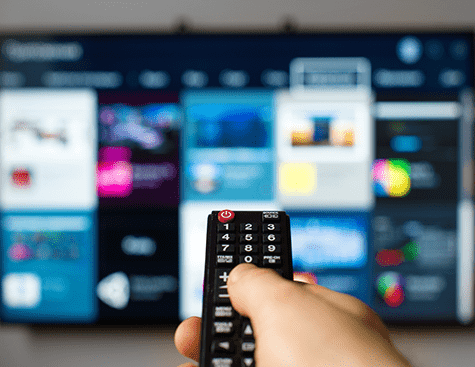
Digiturk Play Abroad App: Smart TV Installation Guide
When you live abroad, keeping up with Turkish series, films and especially the football can be a real hassle. That is exactly where the Digiturk Play Abroad (Yurt Dışı) app comes in handy. Once you install it on your Smart TV, you can easily reach your favourite channels from Germany, Austria, the Netherlands, Belgium, France, the United Kingdom, Switzerland and many other countries. Below we explain, in plain language, which Smart TVs you can download the app on and how to set it up brand by brand.
Which Smart TVs Can You Download Digiturk Play On?
The Digiturk Play Abroad app can be downloaded for free from the app stores of the following Smart TV platforms:
- Samsung Smart TV – Samsung App Store (Tizen)
- LG Smart TV – LG Content Store (webOS)
- Sony, Philips, TCL, Hisense and Panasonic Android TV – Google Play Store
Smart TV Installation Steps, Brand by Brand
Installing on Samsung Smart TV
- First, make sure your TV is connected to the internet (Wi-Fi or cable, either works).
- Open the Smart Hub or Apps menu using your remote.
- Type Digiturk Play in the search box.
- Select the app and press Install.
- When it finishes, open the app and sign in with your account.
Installing on LG Smart TV
- Check that your TV has an internet connection.
- Press the Home button and open the LG Content Store.
- Search for Digiturk Play.
- Select the app and tap Install.
- Once it is installed, launch the app and log in.
Installing on Sony, Philips, TCL, Hisense and Android TVs
- Connect your TV to the internet and sign in with your Google account.
- Open the Google Play Store from the home screen.
- Search for Digiturk Play.
- Press Install and wait for the setup to finish.
- Open the app and sign in with your account details.
Works Smoothly on TVs Made in 2017 and Later
Here is something you can count on: the Digiturk Play Abroad app runs smoothly on every Smart TV produced in 2017 and later. Samsung (Tizen), LG (webOS) and Android TV models from 2017 onwards fully support the latest version of the app, so both the installation and the live streams run without interruption. On these models the picture quality is high, the app opens quickly and live broadcasts play without buffering. Since older televisions can occasionally have compatibility issues, we recommend a 2017 or newer Smart TV for the best experience.
If you cannot find the app in the store during installation, update your TV software first and make sure your internet connection is stable. After that it is easy; with Digiturk Play you can enjoy Turkish television on your Smart TV anytime, even while you are abroad.
Frequently Asked Questions
Which Smart TVs can the Digiturk Play Abroad app be installed on?
The app can be installed on Samsung (Tizen), LG (webOS) and Android TV based Smart TVs such as Sony, Philips, TCL, Hisense and Panasonic. For each brand, you install it from that TV's own app store.
Is the app free to download?
Yes, downloading the Digiturk Play app from your Smart TV store is free. To watch the broadcasts, you simply need to sign in with a valid Digiturk Play membership.
Does it work on Smart TVs made before 2017?
The app performs best on Smart TVs produced in 2017 and later. On older models compatibility may be limited, or the app may not appear in the store, so we recommend a 2017 or newer TV.
Which countries can I use it in while abroad?
You can use the app in many countries outside Türkiye, including Germany, Austria, the Netherlands, Belgium, France, the United Kingdom and Switzerland. All you really need is a stable internet connection.
I cannot find the app in my TV store, what should I do?
First update your TV software and make sure your internet connection is active. In most cases the app becomes visible in the store after a software update.
Using the Digiturk Play Smart TV App in the USA, Canada and Australia
The Digiturk Play Abroad app is not limited to Europe. Turkish households in the United States (USA), Canada and Australia can install it on the same Smart TV brands — Samsung, LG, Android TV and others — and start watching Turkish channels, series and live football in HD on the big screen. Whether your living room is in New York, Los Angeles, Toronto, Vancouver, Sydney or Melbourne, the setup steps are exactly the same: open your TV app store, search for Digiturk Play, install it and sign in.
Because the app streams over the internet, the local time zone in North America or Australia makes no difference — you can watch live or use rewind and replay whenever it suits you. If the app does not appear in your store in the USA, Canada or Australia, update your Smart TV software first, just as you would anywhere else, and it will become available.