
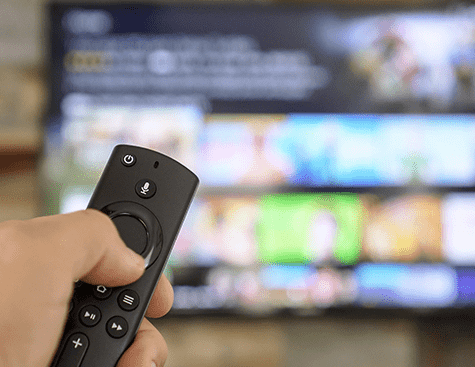
Digiturk Play Abroad App: Amazon Fire TV and Fire TV Stick Installation Guide
If you use an Amazon Fire TV or Fire TV Stick, you can easily reach Turkish series, films and live sports on the big screen from abroad by installing the Digiturk Play Abroad (Yurt Dışı) app. Fire TV is a handy streaming device that plugs into your TV's HDMI port and connects to the internet over Wi-Fi. Below you will find how to download the app, which countries you can use it in, the supported models and the answers to common questions.
Where to Download Digiturk Play on Fire TV
The Digiturk Play app can be downloaded for free directly from the Amazon Appstore on Amazon Fire TV and Fire TV Stick devices.
Step-by-Step Installation on Fire TV
- Plug your Fire TV device into your TV's HDMI port and connect it to the internet (Wi-Fi).
- Go to the Search section from the main menu.
- Type Digiturk Play in the search box.
- Select the app and press Get / Download.
- Once the installation finishes, open the app and sign in with your account to start watching.
Which Countries Can You Use It In?
You can access the Digiturk Play app for Amazon Fire TV and Fire TV Stick through the Amazon app stores in the United States, Canada, Australia, New Zealand, Germany, France, Switzerland, the Netherlands, Austria, the United Kingdom, Belgium, Denmark and Turkey.
Supported Fire TV Models
The Amazon Fire TV and Fire TV Stick models that support the Digiturk Play app are as follows:
- Fire TV (Gen 1)
- Fire TV Cube (2nd Gen)
- Fire TV Stick (Gen 1)
- Fire TV Stick (Gen 2)
- Fire TV (Gen 2)
- Fire TV (Gen 3)
- Fire TV 4-Series
- Fire TV Stick 4K
- Fire TV Cube
- Fire TV Edition - Grundig OLED (2019)
- Fire TV Edition - Grundig Vision 6 (2019)
- Fire TV Edition - Grundig Vision 7 (2019)
- Fire TV Edition - Insignia 4K (2018)
- Fire TV Edition - Insignia HD (2018)
- Fire TV Edition - JVC 4K UHD Smart (2019)
- Fire TV Edition - Nebula Soundbar (2019)
- Fire TV Edition - Toshiba 4K (2018)
- Fire TV Edition - Toshiba HD (2018)
- Fire TV Omni Series
- OK UHD - Fire TV Smart TV (2020)
- Toshiba 4K UHD Smart TV – Fire TV Edition
- Fire TV Stick Lite
- Fire TV Stick (3rd Gen)
- Fire TV Edition - JVC Smart HD/FHD (2020)
- Toshiba 4K UHD Smart TV - Fire TV Edition (2021)
- Toshiba M550 Smart Fire TV
- Toshiba V35 Fire TV
- OK UHD - Fire TV Smart TV (2021)
- JVC UHD FVP – Fire TV
- Fire TV Stick 4K Max
- Fire TV Edition - Element 4K (2017)
- Stellantis (Jeep) - Wagoneer/Grand Wagoneer
Frequently Asked Questions
Does the Digiturk Play app work on Fire TV Stick?
Yes. The app can be downloaded from the Amazon Appstore and used on the Amazon Fire TV and Fire TV Stick models listed above.
Is the app free to download?
Yes, downloading it from the Amazon Appstore is free. To watch the broadcasts you simply sign in with a valid Digiturk Play membership.
Which countries can I use it in?
You can access the app through the Amazon stores in the USA, Canada, Australia, New Zealand, Germany, France, Switzerland, the Netherlands, Austria, the United Kingdom, Belgium, Denmark and Turkey. All you need is a stable internet connection.
I cannot find the app in the Amazon Appstore, what should I do?
First update your Fire TV software and make sure your internet connection is active. In most cases the app becomes visible in the store after an update.
Using Digiturk Play on Amazon Fire TV in the USA, Canada and Australia
Amazon Fire TV and the Fire TV Stick are popular across North America and Australia, and the Digiturk Play Abroad app runs on them perfectly for Turkish viewers in the United States (USA), Canada and Australia. Just plug your Fire TV Stick into your television, open the Amazon Appstore, search for Digiturk Play, install the app and sign in to start watching Turkish channels, series and live football in HD.
Whether your Fire TV Stick is set up in New York, Los Angeles, Toronto, Vancouver, Sydney or Melbourne, the time difference is never a problem because everything streams over the internet — watch live or use rewind and replay whenever you like. If the app does not appear in the Amazon Appstore in the USA, Canada or Australia, update your Fire TV software and check your connection, and it will usually show up right after the update.