
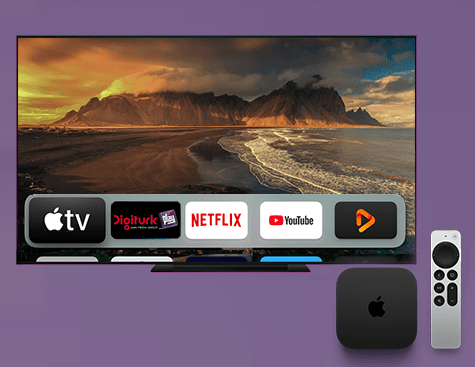
Digiturk Play Abroad App: Apple TV Installation Guide
If you have an Apple TV, installing the Digiturk Play Abroad (Yurt Dışı) app and reaching Turkish series, films and live sports on the big screen from abroad is really easy. Once you download it from the App Store and sign in with your account, your favourite broadcasts are just a click away. Below you will find the installation steps and the answers to common questions, all in plain language.
Where to Download Digiturk Play on Apple TV
The Digiturk Play app can be downloaded for free directly from the App Store (tvOS) on Apple TV devices.
Step-by-Step Installation on Apple TV
- Connect your Apple TV to the internet.
- Open the App Store from the home screen.
- Search for Digiturk Play.
- Select the app and press Get / Download.
- Once the download finishes, open the app and sign in with your account to start watching.
If you prefer, you can also use the voice search on your Siri Remote and simply say "Digiturk Play" to find the app quickly.
Frequently Asked Questions
Does the Digiturk Play app work on Apple TV?
Yes. The app can be downloaded from the App Store and used smoothly on Apple TV devices running the tvOS operating system.
Is the app free to download?
Yes, downloading it from the App Store is free. To watch the broadcasts you simply sign in with a valid Digiturk Play membership.
Which countries can I use it in while abroad?
You can use the app in many countries outside Türkiye, including Germany, Austria, the Netherlands, Belgium, France, the United Kingdom and Switzerland. All you need is a stable internet connection.
I cannot find the app in the App Store, what should I do?
First update your Apple TV software and make sure your internet connection is active. In most cases the app becomes visible in the App Store after an update.
Watching Digiturk Play on Apple TV in the USA, Canada and Australia
For Turkish viewers in the United States (USA), Canada and Australia, setting up Digiturk Play on Apple TV is just as quick as it is in Europe. Open the App Store on your Apple TV, search for the Digiturk Play Abroad app, download it and sign in with your account to watch Turkish channels, series, films and live football in crisp HD on the big screen.
From New York and Los Angeles to Toronto, Vancouver, Sydney and Melbourne, the local time zone in North America or Australia is never an issue, since the app streams entirely over the internet — you can watch live or rewind whenever you like. If you cannot see the app in the App Store in the USA, Canada or Australia, update your tvOS software first and it will appear after the update.