

Quick Install Summary (TL;DR)
- Plug your Fire TV Stick into the TV’s HDMI port and connect it to Wi-Fi.
- Go to Search (🔍) on the home screen and type “Digiturk Play”.
- Install the official Digiturk Play app via “Get / Download” (about 1–2 minutes).
- Open the app and sign in with your digiturkplay.net membership.
- Start watching Süper Lig matches, Turkish series and TV channels in HD on the big screen.
Last updated: 18 May 2026 · Editor: Digitürk Play Germany Editorial Team · Source: official digitürkplay.net setup guide.
Key Facts You Should Know About Fire TV Stick
The Amazon Fire TV family is among the most popular streaming devices in Europe and the most cost-efficient smart-TV solution for Digiturk Play users. The basic data to consider before installation:
- The Fire TV Stick HD costs approximately €40, while the Fire TV Stick 4K Max is around €70.
- Recommended minimum internet speed is 10 Mbps for HD and 25 Mbps for 4K streaming.
- App installation takes about 1–2 minutes and uses ~120 MB of storage.
- Digiturk Play is fully compatible with Fire TV Stick (Lite), Fire TV Stick 4K, Fire TV Stick 4K Max and Fire TV Cube.
- Using the 5 GHz Wi-Fi band can reduce streaming interruptions by up to 40%.
How to Install Digiturk Play on Fire TV Stick
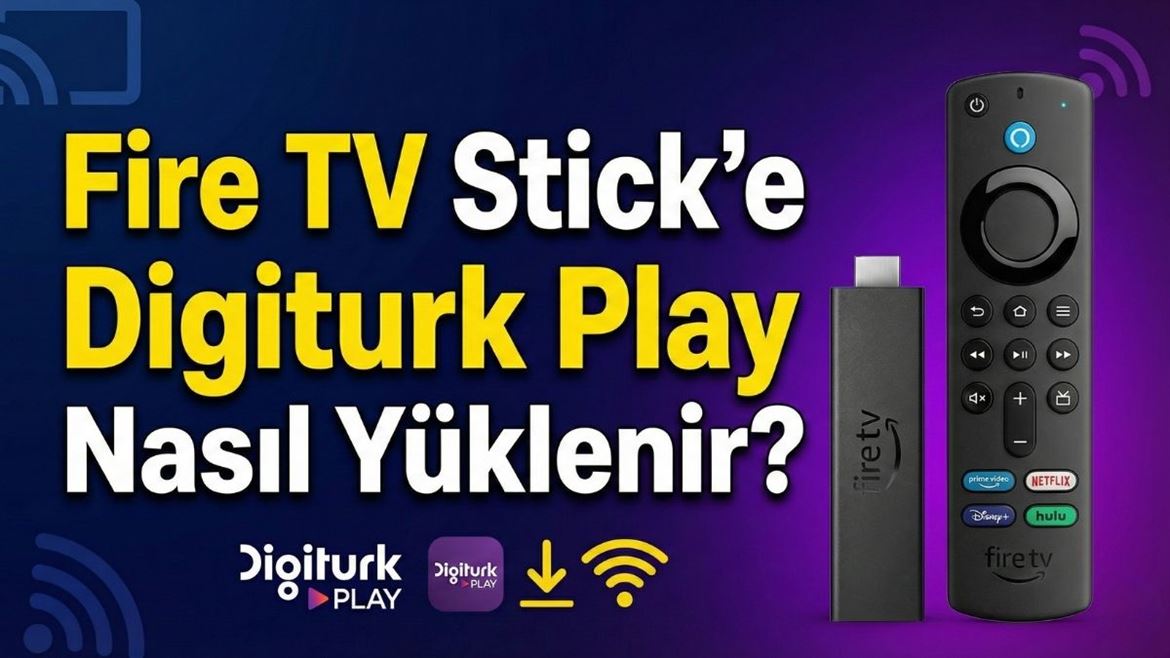
To install the Digiturk Play app on an Amazon Fire TV Stick, simply go to the Search section on your device’s home screen, type “Digiturk Play” and download the official app that appears. This Amazon media player plugs into your TV’s HDMI port, turning even the oldest televisions into smart TVs and providing access to thousands of pieces of content over Wi-Fi. Once the app is installed, sign in with the membership details you obtained from www.digiturkplay.net and within seconds you can start watching all Turkish channels and exciting matches on the big screen.
Digiturk Play, which closely follows technological innovations, developed a dedicated app that works fully with every member of the Amazon Fire TV family. Whether you own a Fire TV Stick, Stick 4K or Cube, the installation process consists of practical and user-friendly steps. Without dealing with any satellite dish or cable clutter, you can turn the TV or projector in your home into a stadium screen using only the power of your internet connection.
Thanks to the portable design of the Fire TV Stick, you can enjoy your Digiturk Play membership not only at home but also on vacation or in different rooms. About the size of a small USB stick, it can be hidden behind the TV to avoid visual clutter, and you can quickly reach content with voice commands via Amazon’s smart remote. For Turks living in Europe, this setup brings the joy of watching matches and series on the big screen to the highest image quality.
Digitürk Play Packages
Digitürk Play offers various packages so users can find content that matches their lifestyle. Football fans can enjoy the excitement of the Süper Lig live, while families can enjoy popular series, kids’ channels and movies in one package. The flexibility to choose the package that fits your needs is one of the biggest advantages of this service.
Amazon Fire TV Stick Setup Steps
- Plug the Fire TV Stick into your TV’s HDMI port.
- Switch the TV to the corresponding HDMI source.
- Connect to Wi-Fi and sign in with your Amazon account.
- From the home screen, search for “Digiturk Play” and download the app.
- Open the app and sign in with your digitürkplay.net membership details.
How to Turn Your TV Into a Smart TV with Amazon Fire TV Stick
The Fire TV Stick connects to the internet and transforms a standard TV into a huge entertainment center where thousands of apps run. Instead of dealing with complex technical settings, this plug-and-play technology lets your TV step into the modern streaming world regardless of its brand. Through this transformation, popular services such as Digiturk Play can be enjoyed on the big screen instead of being limited to a mobile device.
The Fire TV Stick is not only a screen-mirroring device but also a smart helper that simplifies TV usage thanks to its voice-enabled remote. When you sign in with the membership taken from www.digiturkplay.net, you can watch Süper Lig matches and Turkish series in HD on the small TV in your kitchen or the old screen in your living room.
Enjoy Süper Lig on the Big Screen Even Without a Smart TV
If you don’t own a smart TV, the Fire TV Stick is the most practical way to bring Süper Lig excitement to the big screen. You do not need a satellite dish or complex cable installation; you only need an HDMI input on your TV and a stable Wi-Fi connection. This makes following your team enjoyable for viewers of every age group.
Enjoy Digiturk Play on a Projector
Combining the Fire TV Stick with a projector creates a stadium atmosphere at home. By projecting matches onto a wall up to 100 inches in size, you can experience your team’s emotions much more intensely with friends or family.
Uninterrupted Streaming Abroad with Fire TV Stick and Internet Optimization
To get the best performance when watching Trendyol Süper Lig from abroad on the Fire TV Stick, a stable internet connection is critical. Your modem should be placed in an open area without thick walls between it and the TV, and using the 5 GHz Wi-Fi band reduces network congestion and improves streaming quality. Closing unused background apps on the Fire TV Stick is also recommended for the highest video quality.
Fire TV Stick Model Comparison (for Digiturk Play)
| Feature | Fire TV Stick (HD) | Fire TV Stick 4K | Fire TV Stick 4K Max | Fire TV Cube |
|---|---|---|---|---|
| Max resolution | 1080p | 4K UHD | 4K UHD | 4K UHD |
| Wi-Fi | Wi-Fi 5 | Wi-Fi 6 | Wi-Fi 6E | Wi-Fi 6E |
| RAM | 1 GB | 2 GB | 2 GB | 2 GB |
| Alexa voice remote | Yes | Yes | Yes | Yes (hands-free) |
| Approx. price | ~€40 | ~€60 | ~€70 | ~€150 |
| Süper Lig HD/4K | HD | HD | HD | HD |
* 4K availability depends on package and content.
Editor’s Note: Why Fire TV Stick Is the Best Choice
“For our users in Germany and across Europe, Fire TV Stick is the fastest, most affordable and least technical way to access Digiturk Play. No satellite dish required — just a TV with an HDMI port and reliable Wi-Fi. The app is installed safely and legally via the official Amazon App Store, which is critical for both legal compliance and streaming quality.”
— Digitürk Play Germany Editorial Team
Frequently Asked Questions (FAQ)
Is installing Digiturk Play on Fire TV Stick free?
Yes, downloading the app is free. To watch the content, you need an active subscription via digitürkplay.net.
Which Fire TV models are supported?
Digiturk Play works smoothly on Fire TV Stick (HD/Lite), Fire TV Stick 4K, Fire TV Stick 4K Max and Fire TV Cube.
I can’t find the app — what should I do?
Set your Amazon account region to “Germany / Deutschland” and restart the device. The app will then appear when you search for “Digiturk Play”.
Do I need a VPN?
No. Since Digiturk Play officially operates in Europe including Germany, no VPN is needed; using a VPN may even violate the terms of service.
How many devices can I use with one membership?
A Digitürk Play International subscription allows streaming on only 1 device at a time.

Do Comment