75 results found.
1. What is Digiturk Play and How Does It Work Abroad?

Digiturk Play is the official online streaming service that allows Turks and Turkish-speaking communities living outside Turkey and the Turkish Republic of Northern Cyprus (TRNC) to watch their favourite Turkish channels and Süper Lig football matches over the internet.

No satellite dish, satellite receiver, or additional hardware is required. You can stream on your smartphone, tablet, computer, or Smart TV — all you need is an internet connection and a subscription.

From Europe to the USA, Australia to Canada — wherever you have internet access, you can watch Digiturk Play. It is the most reliable legal way to watch Turkish TV channels abroad, including ATV, Show TV, Kanal D, Star TV, and all beIN Sports channels with live Süper Lig coverage.


2. On Which Devices Can I Watch Digiturk Play?

Digiturk Play works on a wide range of devices, making it easy to watch Turkish channels and Süper Lig matches from anywhere:

  • Smart TVs: Samsung and LG Smart TVs
  • Android TV devices: Mi Box, Nvidia Shield, and similar
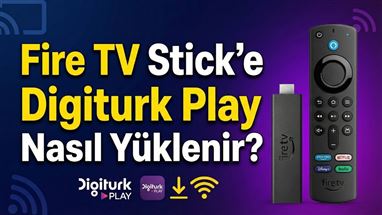
  • Streaming sticks: Amazon Fire TV and Fire TV Stick
  • Apple devices: Apple TV, iPhone, and iPad
  • Android devices: Android smartphones and tablets
  • Web browser: Any computer or laptop via browser

On most devices, simply search for "Digiturk Play Yurt Dışı" (Digiturk Play Abroad) in the app store and download the free app. You can watch on your big screen TV at home or your mobile phone on the go — no satellite dish required.

3. Can I Watch Turkish National Team Matches and the World Cup Abroad?

Yes. World Cup matches can currently be watched live abroad via TRT (Turkish Radio and Television). As long as there is no official announcement that TRT broadcasts have ended, these matches will continue to be streamed without interruption through Digiturk Play.

You can follow the latest status on broadcasting rights through the information notes on our website. For Süper Lig and 1st League matches, the Sports Package covers all games in HD quality with live streaming and catch-up replay options.

4. From Which Countries Can I Watch Digiturk Play? Does It Work in Turkey and TRNC?

You can watch Digiturk Play from all countries where you have an internet connection. The service is licensed and legally available in over 100 countries worldwide — no VPN or special setup required.

The only limitation is that the website cannot be used for streaming from Turkey and Northern Cyprus (TRNC). However, if you are in Turkey or TRNC, you can still watch using the official apps on: smartphones, tablets, Smart TVs, Android TV, Apple TV, and Fire TV Stick.

So whether you are in Germany, the UK, France, the Netherlands, Belgium, Austria, Switzerland, Sweden, Denmark, Norway, the USA, Canada, Australia, or anywhere else with internet — Digiturk Play works for you. And when you visit Turkey, your subscription travels with you.

5. How Do I Renew My Digiturk Play Package?

Before your subscription expires, you will be contacted by email and phone as a reminder. If you wish to renew yourself, you can do so in just a few steps at digiturkplay.net, or get assistance via our WhatsApp support line.

After renewal, your streaming continues without any interruption — you won't lose your viewing history or saved preferences. Your subscription is tied to your user account, so switching devices or moving countries does not affect the renewal process.

6. How Can I Get Support for Streaming and Membership?

For any streaming or membership issue, you can reach our 24/7 Turkish-speaking support team. The fastest way is to send a message via the WhatsApp button on our website — we aim to respond as quickly as possible.

You can also contact us by phone via our US and Australia telephone lines. Our team can assist with subscription activation, device setup, streaming problems, payment issues, and any other questions you may have.

7. What Internet Speed Do I Need to Watch Digiturk Play in Good Quality?

For smooth streaming on Digiturk Play, a broadband connection is recommended:

  • Full HD (1080p) streams: 10–15 Mbps
  • 4K content: Approximately 25 Mbps

The system automatically adjusts video quality based on your current internet speed, so you can also watch on mobile 4G/5G connections. Even if your connection fluctuates, the stream will try to adapt and continue without disconnecting.

For the best experience when watching Süper Lig matches or your favourite Turkish series, a stable wired or Wi-Fi connection is recommended.

8. Why are Sports Package channels not showing on my Airties 7120 / 7200 (Digiturk Play 2026 Update)

Why are Sports Package channels no longer available on the Airties 7120/7200 IP Box?

Members using an Airties box may notice that the Sports Package channels no longer appear in the channel list. This is not a fault or a subscription problem; it is entirely related to the device's technical infrastructure.

What causes this issue?

Airties 7120 / 7200 IP Box models were sold between 2012 and 2015. Since then, Digiturk Play has overhauled its streaming infrastructure and updated the encryption system that protects its content. The hardware in this older box does not support the DRM (Digital Rights Management) encryption protocols and the H.265/HEVC video compression standard that Digiturk uses today.

Can it be fixed with a software update?

No. Because the manufacturer stopped releasing software updates for this model long ago, the issue cannot be resolved through software.

Which channels can I watch now?

As of 01.06.2026, only the Family Package and National Channels remain available on the Airties IP Box. To watch Sports Package channels, you need to switch to a current device (a Digiturk Play compatible app or a next-generation box).

9. Why are Sports Package channels not showing on my Humax H3 IP Box? (Digiturk Play 2026 Update)

Why are Sports Package channels no longer available on the Humax H3 IP Box?

Members using a Humax H3 box may notice that the Sports Package channels no longer appear in the channel list. This is not a fault or a subscription problem; it is entirely related to the device's technical infrastructure.

What causes this issue?

Humax H3 IP Box models were sold between 2014 and 2016. Since then, Digiturk Play has overhauled its streaming infrastructure and updated the encryption system that protects its content. The hardware in this older box does not support the DRM (Digital Rights Management) encryption protocols and the H.265/HEVC video compression standard that Digiturk uses today.

Can it be fixed with a software update?

No. Because the manufacturer stopped releasing software updates for this model long ago, the issue cannot be resolved through software.

Which channels can I watch now?

As of 01.06.2026, only the Family Package and National Channels remain available on the Humax H3 IP Box. To watch Sports Package channels, you need to switch to a current device (a Digiturk Play compatible app or a next-generation box).

10. Can I Personalise My Digiturk Play Package?

Yes. When purchasing, you can customise your subscription by choosing the package (Family or Sports), the payment duration (e.g. annual prepayment or shorter periods), and your preferred streaming method.

This allows you to create a combination that best suits your needs and budget. If you are unsure which package is right for you, our WhatsApp support team is happy to guide you through the options.

11. Is There a Package for Commercial Venues Like Cafés, Restaurants, or Workplaces?

Different terms may apply for streaming in commercial venues compared to individual subscriptions. If you are planning to use Digiturk Play in a workplace, café, restaurant, or similar setting, please contact our WhatsApp support line with your requirements.

Our team will work with you to evaluate the most appropriate solution and conditions for your specific use case.

12. How Many Devices Can I Watch Digiturk Play on Simultaneously?

You can log in to multiple devices (TV, phone, tablet) with the same account, but simultaneous streaming is limited to one device at a time.

This means if you start a broadcast on your phone and then start it on your TV, the broadcast on the phone will pause and continue from where you left off on the TV. The stream simply follows you from device to device.

13. Will My Digiturk Play Subscription Work When I Visit Turkey?

Yes. Although streaming via the website is not available from Turkey and TRNC, you can continue watching via the official smartphone, tablet, Smart TV, Android TV, Apple TV, and Fire TV Stick apps during your visit.

So when you travel to Turkey for a holiday or visit, your broadcasts travel with you — your subscription remains active and accessible on your devices.

14. Is It Safe to Purchase Digiturk Play Through an Authorised Reseller Like digiturkplay.net?

Yes, it is completely safe. digiturkplay.net is an official authorised reseller of Digiturk Play's international streaming service, operating under New Generation Media LLC.

Authorised resellers offer benefits such as a streamlined registration interface, fast account activation, and 24/7 Turkish-language customer support. All payments are handled securely and you receive official Digiturk Play login credentials immediately after purchase — just as you would through any official channel.

Digiturkplay.net Terms of Use

Digiturk Play provides a personalized subscription service that allows our members to access entertainment content ("Digiturkplay.net content") over the Internet on certain Internet-connected TV's, computers and other devices ("Digiturkplay.net ready devices"). The Digiturkplay.net service i...

more